Fortune Clock Mobile Casino: Browser Play, App Status and Phone Checks
 Available in GB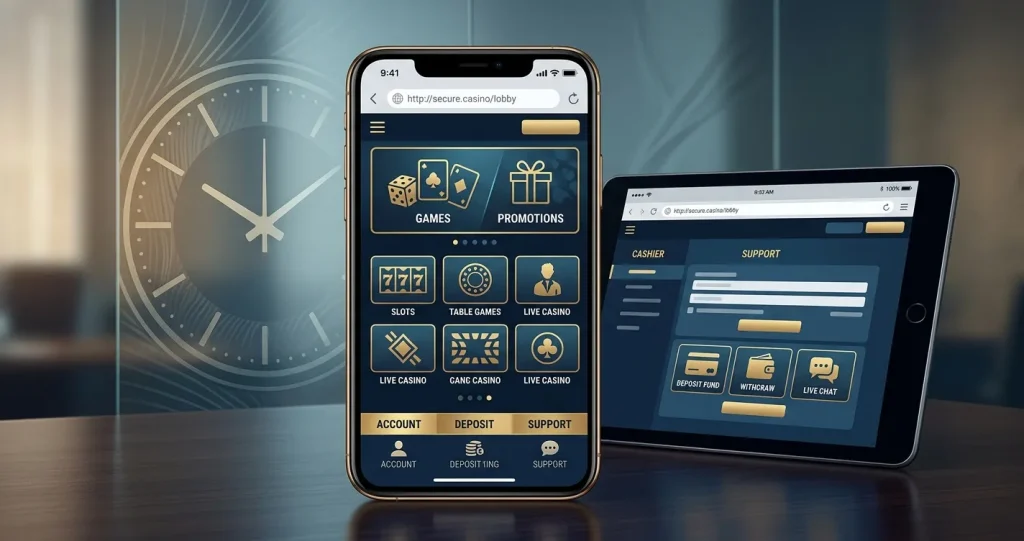
Fortune Clock supports mobile-browser play, so UK users can access the casino from a phone or tablet without relying on a native app. A native iOS or Android app is not confirmed by a reliable official app-store listing, so an App Store download, Google Play app or APK should not be assumed to be official.
The practical question is therefore not simply “does Fortune Clock work on mobile?” but whether the browser experience is usable for the tasks that matter: signing in, finding games, checking the cashier, handling account verification and using support. Before depositing, test those functions on the device and connection you plan to use. The full Fortune Clock review covers the wider UK verdict.
Table of Contents
- Fortune Clock mobile access at a glance
- Browser-first mobile use is the safest assumption
- What to test before depositing on a phone
- Mobile signup should not be confused with payout readiness
- How the game library translates to a smaller screen
- Mobile cashier checks UK players should make
- Security habits matter more on a phone
- Official app status and safer mobile access
- Mobile support and troubleshooting
- Questions about mobile access
- Best-supported way to play on mobile
- Recommend
Fortune Clock mobile access at a glance
| Mobile question | Current status | What it means |
|---|---|---|
| Mobile-browser play | Available | Fortune Clock can be used through a mobile web browser. |
| iOS native app | Not confirmed | Do not install an app merely because a third-party page claims one exists. |
| Android native app or APK | Not confirmed | Use the browser unless a current official distribution source can be confirmed. |
| English site and support | Available | English-language website and support options are available. |
| Support: 24/7 live chat | Available | Live chat gives mobile users an always-available support route. |
This distinction matters because “mobile casino” and “casino app” are not synonyms. A responsive website can deliver the full account and game experience without asking the user to install software. For many players that is simpler because there is no store account, update cycle or extra application permission to manage.
Browser-first mobile use is the safest assumption
When mobile-browser support is documented and native-app status is not confirmed, the sensible default is to use the website directly. Open the current casino address in Safari, Chrome or another modern browser, sign in normally and inspect the account area before doing anything financial. A home-screen shortcut can make a browser site feel app-like without creating a separate installation.
That browser-first approach also reduces one common risk: downloading an APK or similarly packaged file from an unofficial mirror. Casino brands attract lookalike pages, outdated guides and download claims that can outlive the software they describe. Unless a native application is linked from the official site or listed in an official app store under a clearly identified developer, there is little reason to prefer it over a working mobile website.
What to test before depositing on a phone
A page loading successfully is only the first test. Casino use involves several account states, and problems often appear after registration rather than on the public home page. Run a short pre-play check before funding the account.
- Sign-in stability. Confirm that login works without repeated redirects and that the session remains active while you move between the lobby and account pages.
- Cashier readability. Open the deposit and withdrawal areas and make sure method names, minimums, currency information and any conditions are readable without horizontal scrolling.
- Verification access. Locate the account-verification or document-upload area if it is available. The exact Fortune Clock KYC document list can vary by account, but you should know where the process lives before a withdrawal depends on it.
- Support access. Open live chat and check that the conversation panel is usable on a small screen. Fortune Clock lists 24/7 live-chat availability.
- Game controls. Launch a few titles you actually intend to use and confirm that bet controls, paytables, settings and exit controls remain accessible.
- Navigation back to account tools. Make sure leaving a game returns you to the lobby cleanly rather than trapping important account actions behind full-screen overlays.
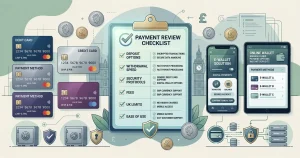
For the financial side, the dedicated payment methods page separates listed card support from changing cashout limits, fees and processing times.
Mobile signup should not be confused with payout readiness
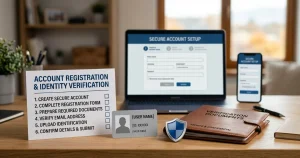
Creating an account on a phone is usually the easy part. The more important test is whether the account can later complete whatever identity and payment checks apply. Fortune Clock accepts UK players, but exact registration-field requirements, KYC document lists and verification times can vary by account.
Before depositing, use details that match your real identity and payment information, keep access to the email or phone channel attached to the account, and avoid creating duplicate accounts. If an operator later asks for verification, inconsistent account details can turn a routine check into a longer support problem.
The separate registration and KYC page focuses on that distinction in more detail. Its key idea is simple: successful signup proves that an account was created, not that every withdrawal condition has already been satisfied.
How the game library translates to a smaller screen
Fortune Clock offers slots, live casino, table games and crash games. Mobile quality depends on how those categories behave on the actual device, not on whether their desktop thumbnails exist. The game library covers the category mix; on mobile, concentrate on usability.
Slots tend to adapt well because most modern titles are designed around touch controls, but interface density still varies. Check whether the spin button, stake selector, autoplay controls where present and game information remain easy to reach. Do not play a title if important rules or settings are hidden behind a layout you cannot comfortably read.
Live casino deserves a separate test because video streaming, table overlays and time-limited betting controls compete for screen space. A stable Wi-Fi or mobile-data connection is more important here than for static account pages. Rotate the device if the table supports landscape mode and verify that the betting area is not obscured by browser chrome or system notifications.
Crash games can be visually simple but involve rapid repeated decisions. Small-screen convenience should not become a reason to extend a session unintentionally. Decide a time and spend boundary before opening the game rather than trying to set limits after a fast session has already started.
Mobile cashier checks UK players should make
Phone users often deposit quickly because the cashier sits only a few taps away from the lobby. That convenience makes it more important to inspect the full payment route first. Visa and Mastercard are listed at brand level, but the exact methods visible to one UK account can depend on country, transaction type, processor and account state.
Do not assume a method that accepts a deposit will necessarily be available for withdrawal. Also check the account currency before funding. A GBP-denominated Fortune Clock wallet is not shown in current public information, so a UK reader should not treat sterling account support as guaranteed merely because the site can be opened from Britain.
Exact withdrawal limits, fees and processing times are deliberately not repeated here. Those are high-risk changing terms that require a current primary-source or account-level check. The mobile usability question is whether the cashier shows those conditions clearly enough for you to make an informed decision before submitting a transaction.
Security habits matter more on a phone
Phones are convenient precisely because they are always logged in to email, messaging, banking and sometimes password managers. That makes account hygiene important. Use a unique password for the casino account, protect the device with a screen lock, and avoid saving credentials on a shared phone or tablet.
Public Wi-Fi is a poor place to handle financial or identity tasks. Even when the connection itself is encrypted, shared networks increase exposure to fake captive portals, shoulder surfing and accidental device sharing. Prefer a trusted home network or your own mobile data for deposits, withdrawals and document uploads.
If a browser or password manager warns that the site address differs from the one you previously used, stop and verify the destination rather than bypassing the warning. Mobile screens can hide long URLs, which makes lookalike domains easier to miss.
Official app status and safer mobile access
Current third-party pages make inconsistent claims about native Fortune Clock apps, and a same-session search did not establish a dependable official App Store or Google Play listing. That is not proof that no application has ever existed. There is no sufficiently reliable official listing to recommend installing one.
Unsupported app-store paths or APK instructions should be avoided. Browser play is documented, so that is the practical route unless a current official distribution source can be confirmed.
Mobile support and troubleshooting
English-language support and 24/7 live chat are listed for Fortune Clock. On mobile, live chat is most useful for account-specific questions that cannot be answered from a general information page: whether a payment method is visible for your account, whether a verification request is outstanding, or why a game or cashier action is unavailable.
When contacting support, describe the issue without sending sensitive data that has not been requested through an appropriate secure channel. A useful troubleshooting note includes device type, browser, the page where the problem occurs and the exact error message. Avoid posting passwords, full card details or identity documents into an ordinary chat unless the operator’s official process explicitly requires a secure upload route.
Questions about mobile access
Can I play Fortune Clock on my phone?
Yes. Mobile-browser play is documented, so the casino can be accessed through a phone or tablet browser.
Does Fortune Clock have an iPhone app?
A reliable current official App Store listing was not found, so current information does not establish a native iPhone app.
Is there a Fortune Clock Android APK?
No official Android APK route is currently established. Use the mobile website unless a current official distribution source can be confirmed.
Can I deposit and withdraw on mobile?
The mobile experience should be checked through the cashier. Card support is listed at brand level, but exact account-level methods and cashout terms should be inspected before depositing.
Is live chat available on mobile?
Fortune Clock lists 24/7 live chat. Check that the chat interface works comfortably on your device before relying on it for account support.
Best-supported way to play on mobile
Fortune Clock is usable as a mobile casino through the browser, and that is the clearest documented route for UK readers. Do not let the word “app” in a third-party page push you toward an unofficial download. Test the browser experience across login, cashier, verification access, support and the game categories you actually use.
A good mobile setup is less about installing software and more about having a transparent account path on a device you control. Confirm payment and verification requirements before funding, use secure connectivity, and keep quick access from turning into longer or higher-spend sessions than you intended.