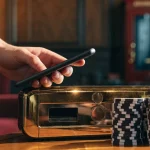
Mobile play describes how a casino is accessed; pay by mobile describes a way to fund an account through a phone service.

A casino can be played on a phone without the deposit coming from your phone account. These are two different things: mobile play describes the device you use to access the casino, while pay by mobile describes a way of funding an account through a mobile phone service. Seeing a slot on a small screen does not, by itself, mean you are paying by phone.
That distinction matters when you look for new mobile slots or a mobile casino that accepts payment by SMS. The first phrase concerns the games and how you view them. The second concerns a payment route. A casino might let you play on a phone while your account is funded another way; conversely, the fact that a payment method is intended for mobile players does not tell you how the casino’s games work on your device.
A smartphone is simply the equipment you use to reach an online casino. You might open the site in a browser or use an operator’s app, if one is offered. The screen, controls and layout can be designed for mobile use, but none of that identifies where a deposit comes from. A phone can be the screen for a casino session without being the source of the money.
When choosing a pay-by-mobile casino, it helps to check what is known about withdrawals as well as how you plan to pay in. Use these verdicts as a concise reference when weighing your options.
Chanze
Chanze lists a payout speed of 1–3 business days. You can use that stated timeframe as a reference when considering withdrawals.
Dieselwin
Dieselwin lists a payout speed of 1–3 business days. That gives you a stated timeframe to consider for withdrawals.
WinBeast
WinBeast lists a payout speed of 1–3 business days. You can factor this stated withdrawal timeframe into your choice.
Jetsetspins
Jetsetspins lists a payout speed of 1–3 business days. This provides a stated timeframe for you to bear in mind when considering withdrawals.
NightWin
NightWin lists a payout speed of 1–3 business days. You can use that information when assessing its withdrawal timing.
Britsino
Britsino lists a payout speed of 1–3 business days. Its stated timeframe gives you a withdrawal detail to consider.
Amunbet
Amunbet lists a payout speed of 1–3 business days. You can keep this stated withdrawal timeframe in mind when making your choice.
EvoSpin
EvoSpin lists a payout speed of 1–3 business days. This gives you a stated indication of its withdrawal timing.
Zombillion
Zombillion lists a payout speed of 1–3 business days. You can consider this stated timeframe when thinking about withdrawals.
Revery Play
Revery Play lists a payout speed of 1–3 business days. Its stated withdrawal timeframe is a detail for you to take into account.
With a phone-billed deposit, the charge is associated with your mobile phone service rather than being made solely because you happen to be using a handset. Payforit is generally reserved for mobile players, but that describes who the method is intended for; it does not make every mobile casino a Payforit casino. Nor does it mean every person playing on a phone will see the option.
This is an easy distinction to miss because the same device can be involved in both activities. You may use a phone to browse the games and also consider paying through your phone account. Still, the casino experience and the funding choice remain separate decisions. Treating them as one can lead you to assume that a mobile-friendly site offers phone billing, or that choosing phone billing changes how you access the games.
A mobile casino is one you can access on a mobile device. That label says something about access, not necessarily about payments. It does not establish that a particular casino accepts Payforit, Boku or any other pay-by-mobile option. Availability is a separate matter and should not be inferred from the site working on your phone.
The same applies to descriptions such as “new mobile casino” or “mobile slots”. They may refer to a recently launched operator, a site’s phone-friendly presentation, or games that can be played from a handset. They are not proof that you can fund an account through a phone bill or prepaid mobile balance. If paying by SMS is important to you, the key point is the payment method itself, not whether the casino looks and feels like a mobile product.
The reverse assumption can also cause confusion. A casino may offer a phone-based payment route to eligible mobile players, but that does not tell you whether its games suit your device or whether its mobile interface is comfortable to use. The method and the playing experience need to be considered independently.
When comparing pay-by-mobile casino sites, separate the questions in your mind. First, can you access the casino and play on the device you intend to use? Second, does the casino offer the phone-based payment method you want? A positive answer to one does not answer the other.
That separation is especially useful when you see a page described as a mobile casino pay-by-SMS option. The wording may combine mobile access and a payment route, but they are still not interchangeable. A phone-friendly site is not automatically a phone-billed site. Likewise, a phone-billed option is not a description of a game, an app or the quality of the mobile experience.
There is no meaningful “best” pay-by-mobile casino based only on the word mobile. A site may work well on a phone yet not offer phone billing; another may provide a mobile payment option without that telling you anything about its layout. Decide what you mean by mobile first: playing on a handset, paying through a phone account, or both. Keeping those meanings apart makes comparisons clearer and helps prevent an assumption about access from turning into an assumption about payment.
Pay-by-mobile gives you a different way to fund a casino account: the charge is linked to your mobile service rather than made directly from a bank account or card. That can make it relevant if you want to use your phone account or prepaid balance, but it is not a universal substitute for other payment options. A casino may support phone billing while offering a different set of choices for other customers, and the methods available can vary between operators.
The wider payment picture includes cards, e-wallets, prepaid services and, at some operators, cryptocurrency. Current specialist casino reviews name Visa and Mastercard alongside Skrill, Neteller and PaysafeCard, and mention several major cryptocurrencies. Treat those lists as descriptions of the operators reviewed, not as a guarantee that every method will appear in the cashier you use. The operator’s live payment options are what matter for your account.
There is an important distinction between credit and debit cards. In Great Britain, remote gambling licensees cannot accept credit-card payments for gambling. The restriction also covers a credit-card payment routed through a money service business; using an intermediary does not turn it into an acceptable casino payment. A debit card is different because the payment draws on available funds in your bank account rather than borrowing on a credit card. Specialist reviews describe debit-card deposits as free and more widely accepted than Payforit, but availability and any terms still need to be checked with the operator.
Pay-by-mobile may suit someone who prefers a charge associated with their phone service, whereas a card or e-wallet may connect the deposit more directly to their banking or payment account. A prepaid option can provide another way to control how much is loaded, while cryptocurrency is a separate category with its own account and transaction considerations. These are differences in how you access funds, not proof that one method is safer or better for every player. Consider where the money is coming from and whether the chosen route fits your budget before you deposit.
The name “mobile casino” can also be misleading in this context. You can play through a phone browser or app and still pay using a debit card or another method. Conversely, a phone-billed deposit is a payment choice, not a requirement to play on a particular device. When you compare casinos, separate the question of whether the games work on your phone from the question of how you can fund the account.
A mobile casino that accepts SMS or phone-based payments may offer a narrower choice than one where you use a card or another supported method. That does not mean a phone payment will be available just because a site is designed for mobile screens, or because a review mentions it. Payment availability can change, and the cashier should guide your decision rather than a general label such as “pay-by-mobile casino”.
For a new account, compare the methods shown to you before sending money. Check that the option is suitable for your own payment source and that you understand the operator’s terms. A familiar logo elsewhere on the site is not enough to establish that the method is enabled for deposits on your account. If phone billing is not offered, do not try to route credit-card funds through a money service business; the credit-card restriction still applies.
A page describing a casino as “pay by mobile” can be a useful starting point, but it does not confirm that you can use Payforit there now. Payment options can change, and a method mentioned in an older article or general payment guide may no longer appear for that operator. Treat those claims as leads to verify, not as confirmation that a deposit route is currently available to your account.
The best place to check is the casino’s own cashier after you have signed in. Look for Payforit or another clearly identified pay-by-mobile option among the deposit methods. A generic “mobile payments” label may not tell you which service is meant, so check the method’s name and any information shown alongside it. If the cashier lists only other options, do not assume that a phone-billed deposit will become available later in the process.
A specialist review may describe a casino as accepting Payforit, but its details can become outdated when an operator changes its cashier. The same caution applies to lists of casino sites that accept pay by mobile: a listing does not establish that the method is still offered, that it is available to every customer, or that it appears in the cashier you can access. Confirm the current position directly with the operator if the listing and your account do not match.
Availability can depend on the operator’s current payment arrangements and the options presented to your account. That is why a general claim about a casino accepting pay-by-mobile deposits in the UK is not enough to plan around. Check while logged in, rather than relying only on a public information page, and look for any account-specific message or restriction. If the method is not shown, ask customer support whether it is currently available to you; do not treat an old review, promotional page or third-party payment list as a substitute for that answer.
While you are in the cashier, check the information tied to the method you intend to use. The minimum deposit, maximum transaction value and any fee can depend on both the selected payment method and the live cashier, so figures on a general page may not describe what you will be offered. Review the financial-limit controls attached to your account before depositing as well. These checks are separate from confirming that Payforit is listed: seeing the method does not tell you whether the proposed amount or your account settings are suitable.
It also helps to distinguish between a casino’s site working well on a phone and its cashier accepting payment from a phone account. A mobile-friendly website may let you play or manage your account on a handset without offering any pay-by-mobile deposit option. Conversely, an operator may list a phone-based method only in particular circumstances. Check the payment method itself rather than inferring availability from the device you are using.
If you cannot find a clear, current answer, pause before making a deposit. Ask the operator to confirm whether Payforit is available in your account and rely on the cashier’s displayed terms when deciding what to do. This avoids basing a payment decision on a broad claim that may describe a different operator, an earlier version of its cashier or a method that is not offered to you.
Using a phone to open a casino does not, by itself, mean you are paying by mobile. You might browse games on a mobile browser and choose another payment method. With Payforit, the phone number and SMS code are part of the deposit itself: you select Payforit in the cashier, provide your mobile number, receive a confirmation code by text, then submit that code to complete the transaction.
That distinction matters when you are looking for an online casino with pay by mobile. The payment route is not simply a button that makes a deposit because you are using a handset. It involves a specific confirmation step linked to your number. If you only want to play on a phone, check the cashier for the payment method you intend to use; mobile access and phone-billed payment are separate choices.
The transaction begins in the casino cashier. Choose Payforit from the listed deposit methods and enter the mobile number requested. Pay close attention to the digits before continuing: the confirmation text is sent to the number you provide, so a mistake can prevent you from receiving the code needed to proceed.
When the SMS arrives, enter its confirmation code in the relevant cashier field and submit it. The code is the step that confirms the Payforit transaction; entering a phone number alone is not the complete process. If you do not receive a message, or the code is not accepted, do not keep guessing or submit details you are unsure about. Check the cashier instructions and contact the operator through its stated support route if you cannot resolve the issue.
Treat the confirmation as an intentional payment decision. Before submitting the code, make sure you are completing the deposit you meant to make and that you are in the correct account. A text confirmation is not the same thing as simply signing in, opening a game or allowing a casino page to load on your phone.
The wording can be confusing because both activities involve a mobile device. In one case, the phone is only the screen you use to access the casino. In the other, Payforit is selected as the payment method and an SMS code is submitted to confirm the deposit. An online casino pay by mobile option therefore refers to the payment route, not to every casino site that works on a smartphone.
If you are researching pay by mobile SMS casino options in the UK, focus on the steps shown in the live cashier rather than assuming that a mobile-friendly site offers Payforit. The process described here depends on the method appearing as a selectable option and on you being able to receive and submit its confirmation code. Do not treat an ordinary text from an operator, a login code or a message about an account as proof that a Payforit deposit has been made.
Keep the distinction clear: browsing on your phone is access; selecting Payforit, entering your number and submitting the SMS confirmation code is a deposit transaction.
Payforit Deposit
Select the method
Choose Payforit from the listed deposit methods in the casino cashier and enter your mobile number.
Receive the code
Wait for a confirmation text containing a code to be sent to the provided mobile number.
Complete transaction
Enter the confirmation code into the relevant cashier field and submit it to finalize the deposit.
A casino describing itself as “not on GamStop” is making a statement about its relationship with the UK’s self-exclusion scheme. It is not confirming that the site holds a UKGC licence, that it is suitable for you, or that it accepts pay by mobile. Those are separate questions, and one label cannot answer them all.
For people who have chosen self-exclusion, the distinction matters. A site’s claim should not be treated as a reason to set aside that decision or as reassurance that gambling there is safe. If you are trying to avoid gambling, do not use a “not on GamStop” label as a route around the protection you chose. Consider blocking access and getting support rather than looking for another place to play.
For other readers, start with the operator’s legal status. Operators offering real-money gambling to customers in Great Britain must hold a current UKGC licence. Online gambling is legal in the UK at licensed sites; an offshore operator without a UKGC licence sits outside that regulatory system. A claim about GamStop does not establish either status. Look for the operator’s licence information and check that it relates to the site you are using, rather than relying on promotional wording.
The same caution applies to payment claims. “Not on GamStop” does not tell you whether a pay-by-mobile option is available to your account, or whether the casino accepts a particular phone-based payment at all. Nor does it explain the terms attached to a deposit. Treat the payment route and the operator’s status as independent checks; do not infer one from the other.
Be alert to other wording that can distract from those checks. “No wagering” may describe a promotion’s conditions, but it says nothing by itself about the operator’s licence, GamStop status or deposit methods. Read the offer terms separately, and do not assume that a headline phrase covers every condition.
There are also basic safeguards that are not replaced by a site’s claims. Before a new remote customer makes a first deposit, the operator must invite them to think about setting a financial limit. Limit controls should remain available through the account afterwards. If you proceed, take time to consider a limit before depositing and make sure you can find the controls later. That safeguard is not evidence that a casino’s “not on GamStop” claim is accurate or that the site is appropriate for you.
Payment rules offer another clear point of reference: UKGC-licensed remote operators cannot accept credit-card payments for gambling, including when a money service business is used to route the payment. A claim about GamStop does not create an exception to that rule. If a payment offer appears to depend on routing credit-card funds into gambling, do not treat it as an acceptable workaround.
Keep the checks distinct: self-exclusion wording is not a licence, a licence is not proof of a particular payment method, and a payment option is not a judgement about whether gambling is right for you. If you have self-excluded, the safest response is to honour that choice rather than test a site’s label.
Before you make a pay-by-mobile deposit, check the figures shown in the casino’s current cashier. Confirm the minimum deposit, the maximum transaction value and any fee attached to the payment. These details can vary by operator and payment method, so an amount shown in an old review or saved screenshot may no longer apply. If the cashier does not make a cost or limit clear, pause and check the operator’s current payment terms before confirming.
For Payforit, the stated transaction cap is £30, in line with published guidance from the phone-paid services regulator. That is a ceiling, not a target: the casino may set a lower maximum, and its minimum deposit may also affect what you can pay. Check the amount displayed for your account rather than assuming the regulator’s cap is the only limit that matters. If the amount you intend to deposit exceeds the available transaction limit, do not try to get around the restriction by dividing it into smaller payments.
Fees deserve the same attention as the deposit amount. Look for any charge disclosed by the casino or payment provider and consider whether your phone tariff could affect the total cost. A deposit that appears manageable in the cashier may have a different overall cost if a separate charge applies. Read the confirmation screen carefully before you authorise the payment; if the amount to be charged is unclear, do not proceed until you have clarified it.
Your account’s financial controls are separate from the payment method’s transaction ceiling. A phone payment limit only restricts what can be charged in a transaction; it does not tell you what you can afford to spend or replace a personal spending limit. New remote customers must be prompted to consider setting a financial limit before their first deposit. Take that prompt seriously and choose a limit that reflects what you can afford to lose, not what the cashier permits you to deposit.
Before paying, find the account-level limit settings and check that you can access them. Those facilities must remain available after registration, so you should be able to review your settings rather than relying on a one-off decision at sign-up. Set a limit before depositing if you want one in place from the start, and check the account settings again if your circumstances change. A payment method’s cap is not a substitute for this control.
A quick check can prevent a confusing or unaffordable charge: confirm the cashier’s minimum, maximum and fees; review the amount on the final confirmation screen; and make sure you have considered your account-level financial limit before your first deposit. If any of those details are missing or inconsistent, leave the payment unconfirmed until you have the information you need.
A Payforit deposit is charged to your phone account, not sent from a bank account or card. If you use a monthly contract phone, the amount is added to a future bill. If you use Pay as you Go, it comes out of your prepaid credit. That is how the money reaches the casino; it does not create a route for casino funds to travel back to your phone account.
Payforit cannot be used to withdraw casino funds. If you win, or have an unused balance you want to cash out, you will need to use a withdrawal method the casino makes available to your account. Do not assume that the way you paid will also be offered for payouts. A phone bill is a way to fund the account, not a destination for winnings.
Before making a deposit, check what payout route you could use if you later wanted to withdraw. The available options depend on the operator and your account, so check the current cashier and terms rather than relying on a general description of pay-by-mobile casinos. Make sure any withdrawal method matches your account details and currency, and ask the operator about any identity checks still outstanding.
If you deposit by Payforit, be ready to provide bank details, an e-wallet or another verified payment source for a withdrawal. The operator may require its own checks before releasing funds. Knowing this in advance can help you avoid putting money into an account without understanding how a later payout could work.
The distinction matters whether you are playing mobile casino games or accessing the same casino on another device: the phone bill settles the deposit, while a payout has to follow the operator’s withdrawal process. Treat the two as separate transactions. Do not budget on the assumption that a win can be credited to your phone balance, or that a phone-billed deposit can simply be reversed through Payforit.
Your own phone account is worth checking too. A contract charge may appear on a later bill, while a Pay as you Go payment reduces the credit already available. Keep that consequence in mind when deciding whether to deposit. If you are unsure how the charge will appear or which withdrawal route is available to you, pause and confirm with the network provider or casino before proceeding.
If you are considering funding mobile slots by SMS, check the promotion rules before making a Payforit deposit. A casino may accept Payforit for deposits while excluding it from a welcome bonus or another offer. Independent specialist reviews report that most UK casinos exclude Payforit deposits from these promotions, but that does not tell you how a particular offer is worded now.
Read the terms attached to the specific promotion, not just the headline on the casino’s homepage. Look for wording about which deposit methods qualify and whether Payforit is named among excluded methods. If the terms do not make the position clear, ask the operator to confirm whether a Payforit deposit will count before you proceed. Do not assume that seeing an offer in your account means every payment route qualifies.
This matters whether you are looking for mobile slots paid for by SMS or browsing casino sites that accept pay by mobile. Payment acceptance and promotional eligibility are separate questions. A deposit can be accepted without meeting the offer conditions; the promotion’s terms determine whether it qualifies.
Check the offer before paying rather than relying on a bonus appearing afterwards. If you make a deposit expecting promotional credit and the method is excluded, you may not receive what you anticipated. Treat the advertised offer and the deposit method as two separate decisions: first establish whether the payment route is available to you, then verify that it is eligible for the promotion you want.
Pay particular attention to any exclusions that refer to phone payments, Payforit or SMS-funded deposits. If the wording is ambiguous, pause and seek clarification from the casino before confirming the transaction. Keep the relevant terms available while you check, so the answer relates to the offer you intend to use rather than a different promotion.
A bonus should not be the reason to deposit if you cannot establish that your chosen method qualifies. Decide whether the deposit itself makes sense for you without counting on promotional value. That leaves less room for a misunderstanding between what the offer appears to promise and what its terms actually provide.
If a casino’s cashier offers Boku, check the amount you can select and the phone credit available before starting. A specialist review describes Boku’s standard maximum as £30 per transaction, but the cashier’s current options determine what you can deposit at that casino. Do not assume the same cap or availability applies everywhere.
The payment is not complete just because you choose Boku. You must confirm the transaction by SMS before the funds move. Read the message carefully and make sure the amount matches what you intended to pay. If you do not receive a confirmation request, or the details are unclear, do not guess or repeat the transaction; check the cashier or contact the operator.
Your phone balance also needs to cover more than the deposit itself. A network may add a processing fee, and the charge can vary by network and tariff. A specialist review notes that your available phone credit must cover both the deposit and any applicable fee for the payment to succeed. If there is not enough credit, the transaction may fail even when the casino has accepted the requested amount.
For a contract phone, check the relevant account or network terms so you understand how phone-based charges are handled. For prepaid service, confirm your remaining balance before approving the SMS. Either way, treat the confirmation as approval to charge your phone account or credit, not as a routine message.
Boku is a payment option, not a reason to stretch your spending. Set an affordable limit before depositing and stop if the amount, fee or confirmation does not look right. If Boku is not shown in the live cashier, do not assume that a search result, an old review or a particular mobile network means it can be used at that casino.
A casino may be mentioned in a guide to pay by mobile, but that does not confirm Payforit is available to you now. Payment options can change, and availability may depend on the operator’s current arrangements. Treat any external list as a starting point, not a promise that you can deposit by phone.
A specialist review has reported Payforit among the cashier options at Virgin Games. That is a useful named example, but it is not a substitute for checking Virgin Games’ live cashier. Sign in to your account and look at the deposit methods actually shown before deciding how to fund it. If Payforit is absent, do not assume that an old review or another player’s experience means it can still be selected.
Check the details displayed alongside the method as well. Before depositing, confirm the minimum deposit, maximum transaction value and any fee, then review the financial-limit controls available on your account. These details belong to the operator’s current cashier and account settings; figures copied from a review may no longer apply.
For a UK casino, also make sure the operator holds a current UKGC licence. A payment method appearing in a cashier does not, by itself, establish that the casino is suitable or properly authorised for customers in Great Britain. The licence and the available payment options are separate checks.
If Payforit is listed, read the on-screen terms before confirming. If it is not, use only another method that the cashier currently offers and that you can use in your own name. Do not rely on a page promising a fixed set of casinos with pay by mobile: an accurate decision depends on the live cashier, not a static list.
For Payforit, the typical minimum deposit is £3–5. Check the casino’s cashier for the minimum that applies to your account.
No. Payforit is available at some operators, but not all; check the casino’s cashier to see whether it is offered.
Select Payforit in the cashier, enter your mobile number, then submit the confirmation code sent to you by SMS. The deposit is charged to your monthly phone bill or Pay as you Go balance.